October 12, 2026
Setting Up a Active Directory Lab
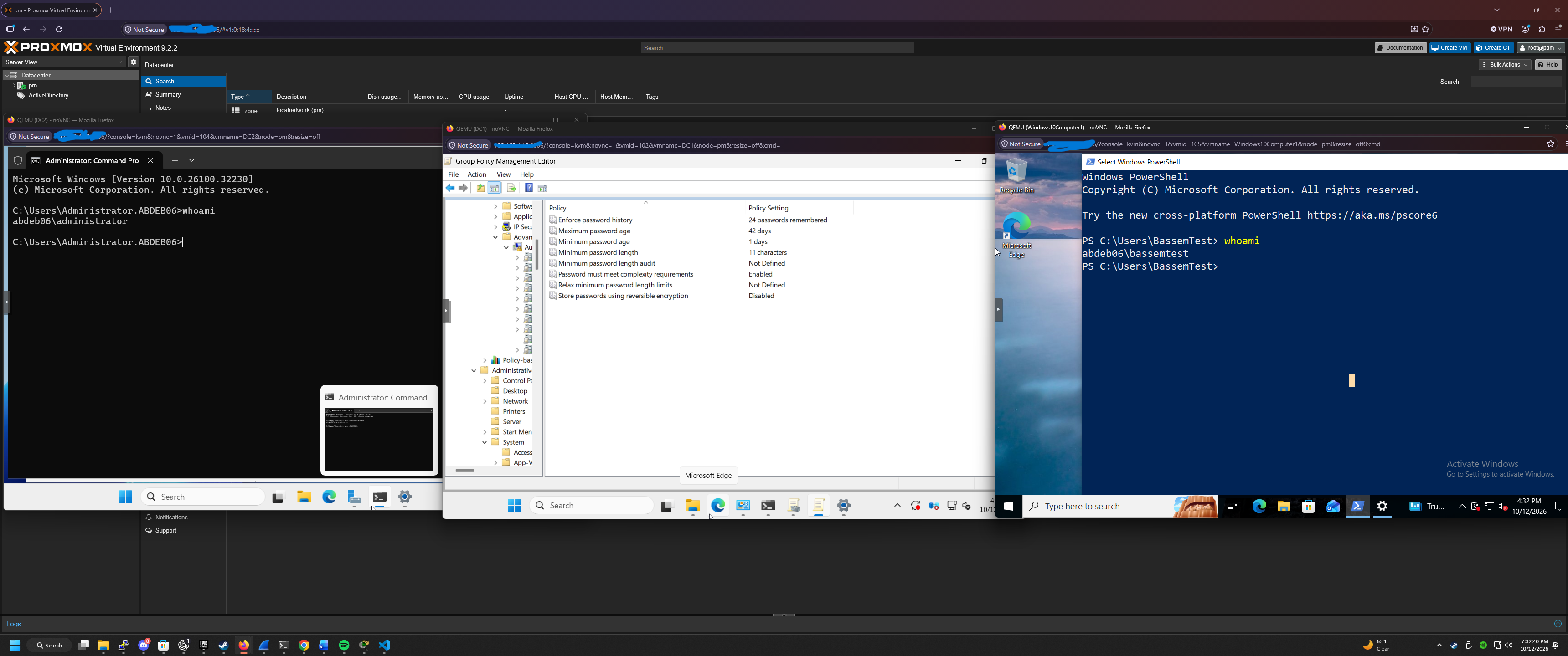
Expanding My Home Lab with Active Directory
As part of my ongoing journey in cybersecurity and networking, I decided to expand my Proxmox home lab by setting up Active Directory Domain Services (AD DS) using Windows Server.
My goal was to gain practical experience managing a Windows domain environment and better understand how organizations centrally manage users, computers, and security policies.
Set Up Process
I started by creating a Windows Server virtual machine in Proxmox. Once Windows Server was installed, I configured the server and installed the Active Directory Domain Services role.
I then promoted the server to a domain controller and created a new domain for my lab environment.
This allowed me to begin experimenting with centralized network administration.
Exploring Active Directory
After configuring the domain controller, I started exploring some of the administrative features available in Active Directory. including:
- Active Directory Users and Computers: Managing domain users, groups, and computer accounts.
- Group Policy Management: Configuring and enforcing settings across domain-joined computers.
- Organizational Units: Organizing domain objects for easier administration.
- Password Policies: Understanding how password complexity, minimum password length, and account lockout settings improve security.
- Domain Authentication: Learning how domain-joined computers authenticate users through a centralized domain controller.
- Setting Up a Second Domain Controller: Setting up another domain controller as a backup incase the main domain controller goes down.
Security and Group Policy
One of the most interesting parts of this project was learning how Group Policy can be used to control settings throughout an organization.
Instead of individually configuring every computer, administrators can create policies that apply to multiple systems.
I also explored how password requirements and account lockout policies can help protect domain accounts from unauthorized access.
What I Learned
This project helped me better understand the role Active Directory plays in enterprise IT environments.
It also gave me practical experience with Windows Server administration, virtualization, domain management, and security configuration.
As I continue developing my networking and cybersecurity skills, I plan to expand this environment by experimenting with additional domain-joined computers, more advanced Group Policy configurations, and security monitoring.
Final Thoughts
Building this environment has been a valuable addition to my home lab. It has allowed me to apply concepts I've been studying in a practical setting while gaining experience with technologies commonly used in real-world IT environments.
Comments
No comments yet. Be the first to comment!